All your AI systems in one place
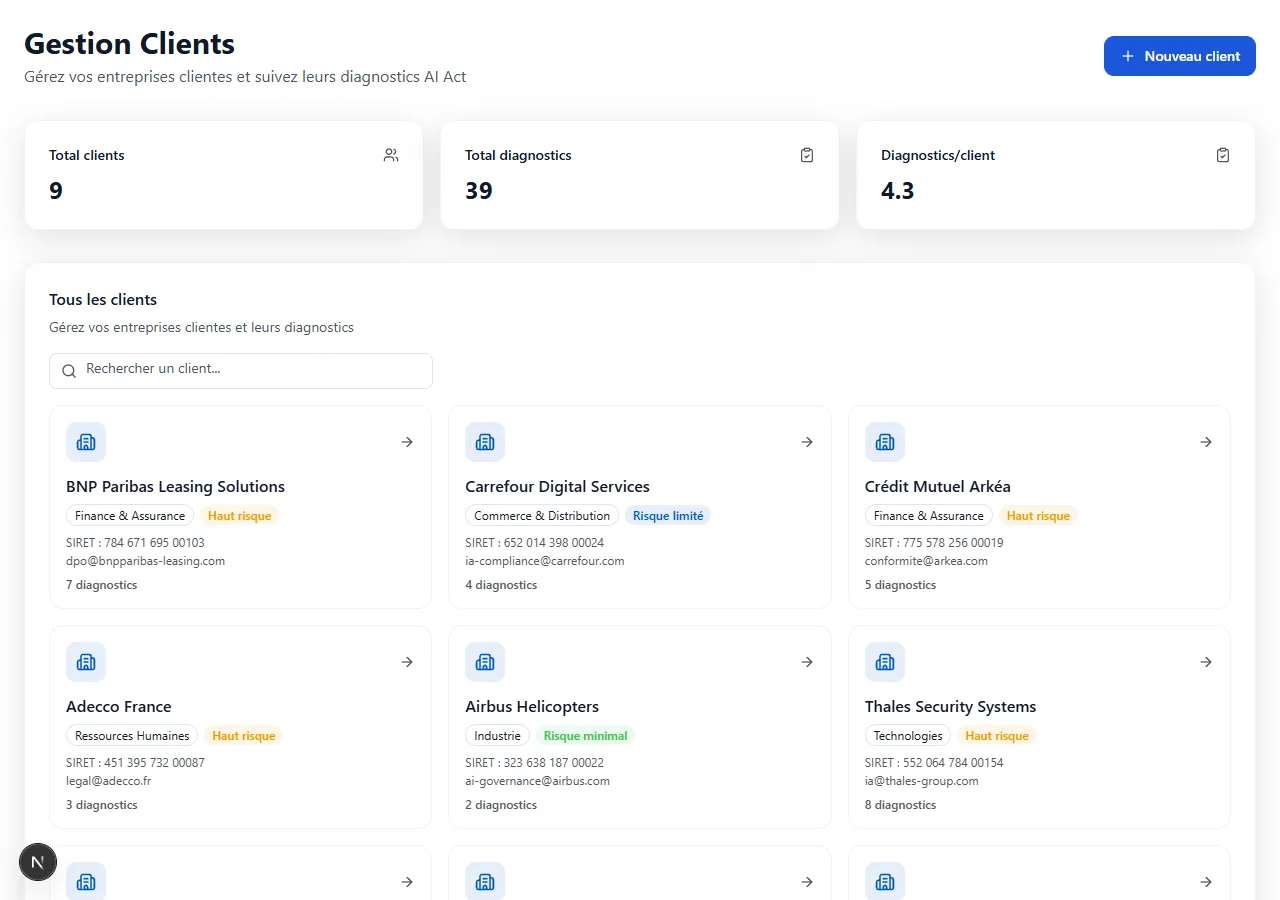
Consulting firms, multi-entity DPOs, group compliance officers: manage the technical documentation of all your AI systems from a single dashboard with differentiated access.
Before / After
Discover how multi-client management transforms your compliance oversight.
Without centralized management
- A separate account for each client or AI system
- No overview of overall progress
- Undifferentiated access between stakeholders
- Manual billing and tracking per client
With AiActo
- Single dashboard with all your AI systems
- Real-time overview of completion rates
- Roles and permissions per client and per user
- Organization by client, entity, or subsidiary
Without centralized management
- A separate account for each client or AI system
- No overview of overall progress
- Undifferentiated access between stakeholders
- Manual billing and tracking per client
With AiActo
- Single dashboard with all your AI systems
- Real-time overview of completion rates
- Roles and permissions per client and per user
- Organization by client, entity, or subsidiary
How it works
Step 1
Workspace creation
Create a workspace for each client or entity. Name it, assign a point of contact, and configure specific access permissions.
Step 2
Adding AI systems
Within each client workspace, create as many assessments as needed. Each AI system has its own independent technical documentation.
Step 3
Access management
Invite team members with appropriate roles: editor, reviewer, or observer. Each person only sees their authorized workspaces.
Step 4
Centralized oversight
Track the progress of each assessment from your dashboard. Identify delays, export reports, and meet your deadlines.
Key benefits
Multi-client management simplifies compliance oversight at scale.
Complete overview
See the progress of all your AI systems at a glance. Immediately identify those requiring priority action.
Data security
Strict isolation between client workspaces. Each team member only accesses data relevant to them, in compliance with GDPR.
Productivity
No more juggling between accounts. Switch from one client to another in one click, with reusable templates across your assessments.
Scalability
Add as many clients and AI systems as needed. The interface adapts to your activity volume without slowing down.
Approach comparison
Multi-client management vs alternatives.
| Spreadsheet | RecommendedAiActo | Multi-account | |
|---|---|---|---|
| Overview | Manual | Real-time | Per account |
| Access management | Non-existent | Per role and client | Per account |
| Isolation | None | Native GDPR | Per account |
| Shared templates | Copy-paste | Reusable | Not shared |
| Reporting | Manual | Automatic | Per account |
| Scalability | Limited | Unlimited | Expensive |
| Try for free |
Frequently asked questions
There is no limit to the number of clients or workspaces you can create. The platform adapts to your activity volume, whether you manage 5 or 500 AI systems.
Yes, isolation is strict and native. Each client workspace is separated: a team member assigned to one client cannot see or access another client's data.
Yes, you can invite collaborators with differentiated roles (editor, reviewer, observer) and limit their access to specific clients.
Yes, you can create response templates and reuse them across your different assessments, which significantly accelerates documentation for similar systems.
The dashboard displays all your client workspaces with the completion rate of each assessment, upcoming deadlines, and priority actions. You can filter and sort according to your needs.
Yes, it is the primary use case. Consulting firms, outsourced DPOs, and group compliance officers use multi-client to manage their entire AI portfolio.
Manage all your AI systems in one place
Centralize AI Act compliance management for all your clients and AI systems from a single dashboard.